27 Inch vs 32 Inch Screen Size: Which Monitor Size Is Better?
Choosing between a 27 inch and 32 inch screen can be confusing, especially for gaming, office work, content creation, or watching movies. Both sizes are popular in the USA market, but the right choice depends on your desk space, viewing distance, resolution, and usage.
In this guide, we’ll compare 27 inch vs 32 inch screen size in terms of dimensions, gaming experience, productivity, viewing comfort, and more.
27 Inch vs 32 Inch Screen Dimensions
Here’s the actual physical size difference between the two screens using the common 16:9 aspect ratio.
| Screen Size | Width | Height | Screen Area |
|---|---|---|---|
| 27 Inch Monitor | 23.5 inches | 13.2 inches | 311 sq in |
| 32 Inch Monitor | 27.9 inches | 15.7 inches | 438 sq in |
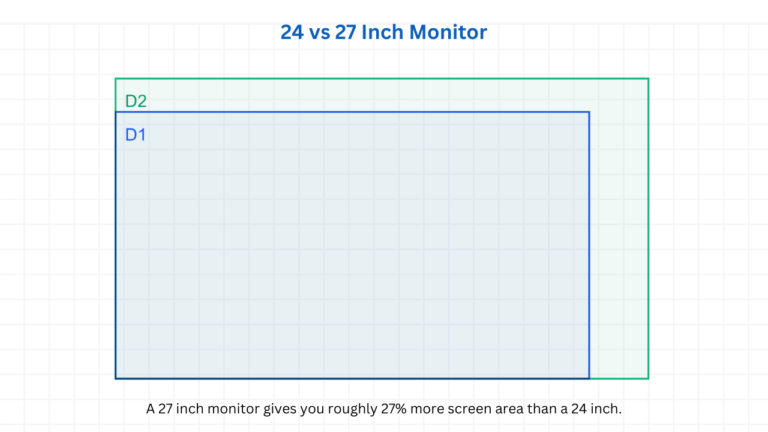
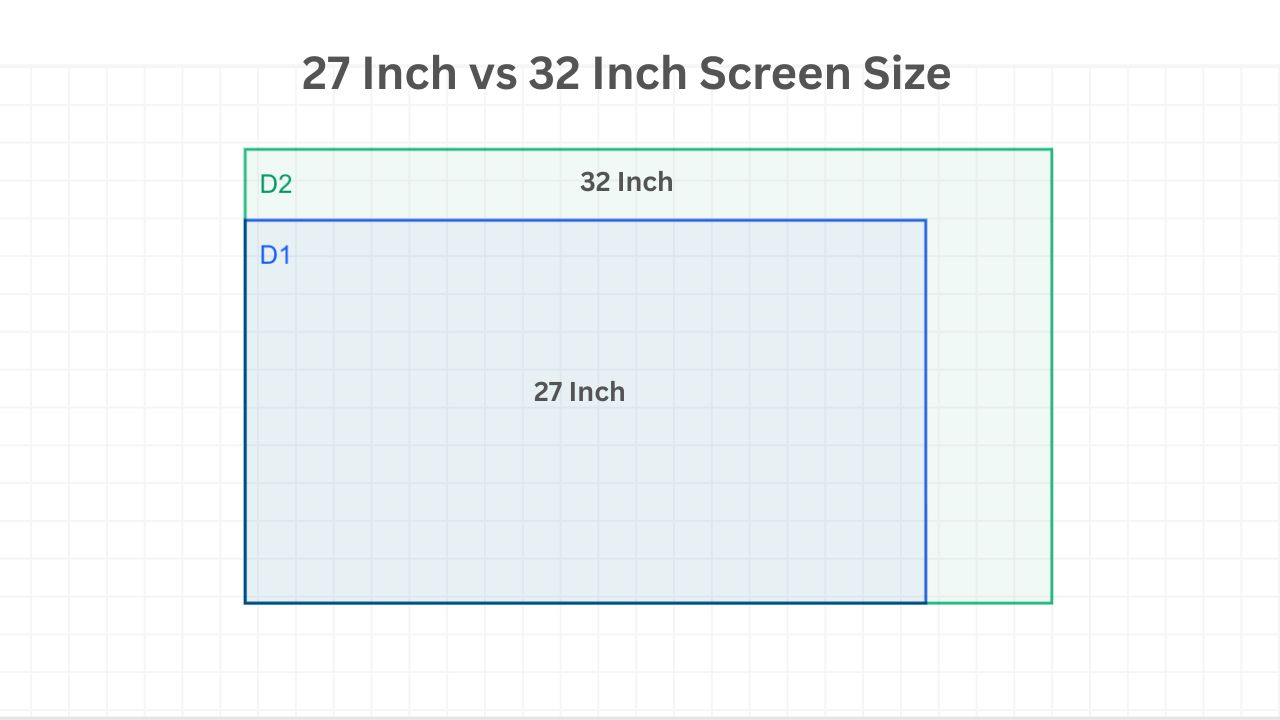
A 32 inch display provides around 40% more screen area than a 27 inch monitor.
Size Difference Visualization
The 32 inch screen is noticeably larger in both width and height. This extra size helps with:
- multitasking
- split-screen work
- immersive gaming
- movie watching
- video editing timelines
However, it also requires more desk space and a slightly longer viewing distance.
27 Inch vs 32 Inch for Gaming
27 Inch Monitor
A 27 inch screen is considered the sweet spot for most gamers.
Benefits:
- easier to see the whole screen quickly
- better for competitive FPS gaming
- works great with 1440p resolution
- fits smaller desks
Best for:
- esports
- fast-paced games
- budget gaming setups
32 Inch Monitor
A 32 inch display feels more immersive.
Benefits:
- larger field of view
- better cinematic experience
- ideal for story games and racing games
- easier to notice details
Best for:
- RPG games
- open-world games
- console gaming
- simulation games
Resolution Matters More on Bigger Screens
The larger the monitor, the more important resolution becomes.
| Screen Size | Recommended Resolution |
|---|---|
| 27 Inch | 1440p |
| 32 Inch | 1440p minimum, 4K preferred |
A 32 inch monitor with only 1080p resolution may look less sharp because pixels are spread over a larger area.
27 vs 32 Inch for Office Work
Choose 27 Inch If:
- you sit close to the screen
- you have limited desk space
- you mainly browse, code, or use documents
Choose 32 Inch If:
- you multitask heavily
- you work with spreadsheets
- you edit videos or photos
- you want larger text and UI elements
Viewing Distance Comparison
| Screen Size | Recommended Viewing Distance |
|---|---|
| 27 Inch | 2 to 3 feet |
| 32 Inch | 3 to 4 feet |
Sitting too close to a 32 inch monitor can cause neck movement and eye strain.
Desk Space Requirements
Before buying, measure your desk.
| Screen Size | Recommended Desk Depth |
|---|---|
| 27 Inch | 24 inches |
| 32 Inch | 30 inches or more |
A shallow desk may make a 32 inch monitor feel overwhelming.
Power Consumption
In general:
- 32 inch monitors use more electricity
- larger screens may generate more heat
- bigger displays are usually heavier
The difference is not huge, but it matters for long daily use.
Price Difference
Typically:
- 27 inch monitors are cheaper
- 32 inch 4K monitors cost significantly more
If you are on a budget, a high-quality 27 inch monitor often gives better value.
Who Should Buy a 27 Inch Monitor?
A 27 inch screen is ideal if you:
- play competitive games
- want a sharper image at lower resolutions
- have a smaller desk
- need an affordable setup
- sit close to the monitor
Who Should Buy a 32 Inch Monitor?
A 32 inch screen is better if you:
- want maximum immersion
- edit videos or photos
- multitask with multiple windows
- watch movies frequently
- prefer bigger visuals
Final Verdict
The best choice depends on your usage.
- Choose 27 inch for competitive gaming, everyday work, and smaller setups.
- Choose 32 inch for immersion, productivity, and media consumption.
For most people, a 27 inch 1440p monitor offers the best balance of size, sharpness, and price. But if you have enough desk space and want a more cinematic experience, a 32 inch display can feel much more impressive.
Frequently Asked Questions
Is a 32 inch monitor too big for a desk?
Not necessarily, but it works best with a deeper desk and proper viewing distance.
Is 27 inch or 32 inch better for PS5?
A 32 inch screen feels more immersive for console gaming, especially with 4K resolution.
Is 1440p enough for 32 inch?
Yes, but 4K looks noticeably sharper on a 32 inch display.
Is 27 inch too small for productivity?
No. Many professionals use dual 27 inch monitors for excellent productivity.