24 vs 27 Inch Monitor: Which Size Should You Actually Buy?
Introduction
The 24 inch vs 27 inch monitor debate is one of the most common dilemmas for anyone setting up a new workstation, gaming rig, or home office. Three inches doesn’t sound like much — but in the world of monitors, it makes a surprisingly significant difference in your daily experience.
This guide breaks down everything you need to know: screen real estate, pixel density, ideal viewing distance, use cases, and value for money — so you can make the right call for your setup.
Size & Dimensions at a Glance
| Feature | 24 Inch Monitor | 27 Inch Monitor |
|---|---|---|
| Screen Diagonal | 24 inches (~61 cm) | 27 inches (~68.5 cm) |
| Typical Width | ~53 cm (21 in) | ~60 cm (24 in) |
| Typical Height | ~30 cm (12 in) | ~34 cm (13.5 in) |
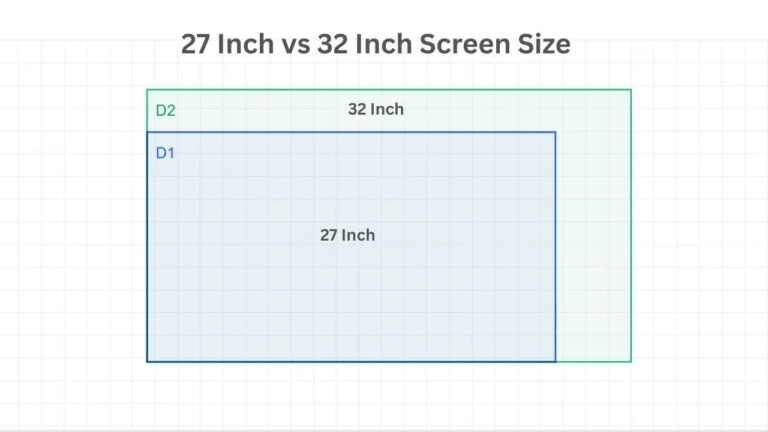
| Screen Area | ~1,290 cm² | ~1,640 cm² |
| Size Difference | Baseline | ~27% more screen area |
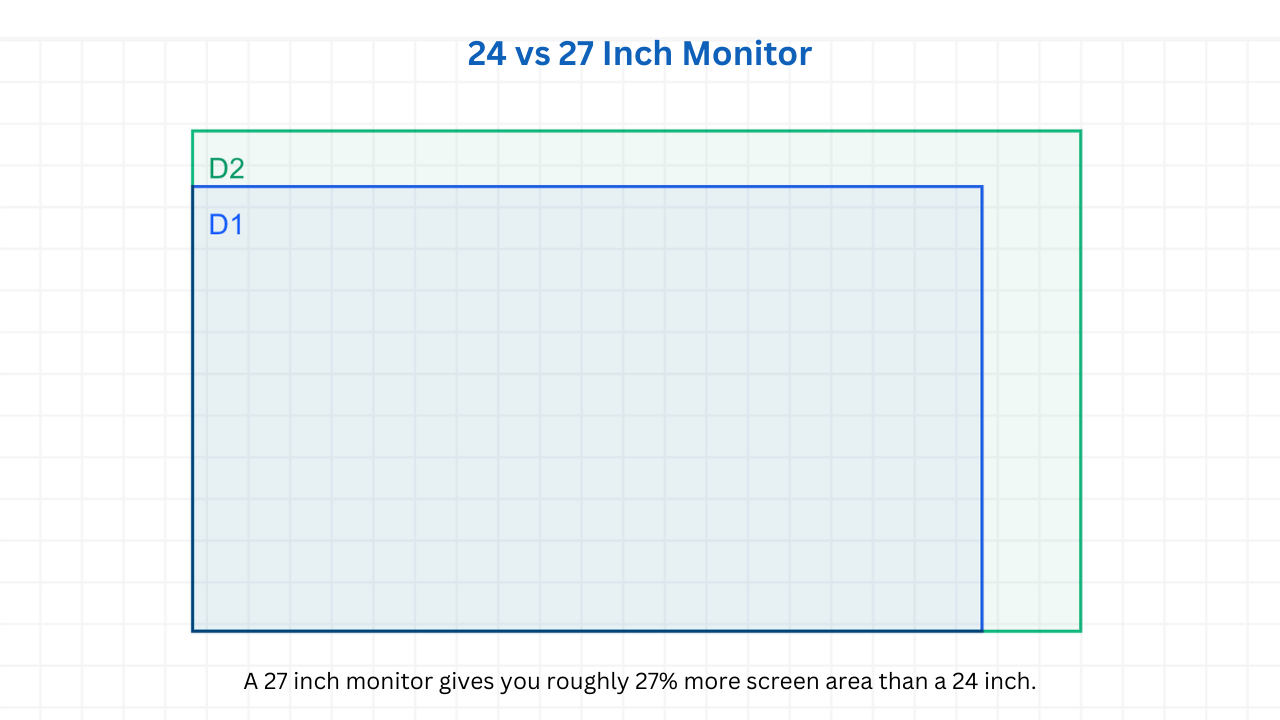
That last row is the one that matters most — a 27 inch monitor gives you roughly 27% more screen area than a 24 inch, which is far more noticeable in real life than the 3-inch diagonal difference suggests.
Pixel Density: The Most Important Factor
Pixel density (measured in PPI — pixels per inch) determines how sharp and crisp everything looks on screen. This is where the choice between 24 and 27 inches gets more nuanced.
| Resolution | 24 Inch PPI | 27 Inch PPI | Winner |
|---|---|---|---|
| 1080p (Full HD) | ~92 PPI | ~82 PPI | ✅ 24 inch |
| 1440p (2K / QHD) | ~122 PPI | ~109 PPI | ✅ 24 inch |
| 4K (UHD) | ~184 PPI | ~163 PPI | Close tie |
At 1080p, a 27 inch monitor starts to look noticeably soft — icons, text, and images lose crispness because the pixels are more spread out. For 1080p content, a 24 inch monitor is the sharper, cleaner choice every time.
At 1440p (QHD), the 27 inch monitor hits its sweet spot. Most monitor experts and enthusiasts agree that 27 inch + 1440p is the ideal pairing — you get the extra screen space without sacrificing sharpness. This combination has become the gold standard for productivity and gaming setups worldwide.
Ideal Viewing Distance
| Monitor | Recommended Viewing Distance |
|---|---|
| 24 Inch | 60–80 cm (2–2.6 ft) |
| 27 Inch | 80–100 cm (2.6–3.3 ft) |
If your desk is shallow or you sit close to your screen, a 24 inch monitor is more comfortable — you won’t need to move your eyes or head as much to take in the full display. A 27 inch monitor rewards a slightly deeper desk and more distance between you and the screen.
Use Case Comparison: Which Size Wins?
Gaming
The 27 inch monitor has a clear edge for gaming. More screen real estate means more immersive gameplay, wider field of view in competitive titles, and a more cinematic experience overall. Paired with 1440p and a high refresh rate (144Hz or 165Hz), a 27 inch gaming monitor is hard to beat. That said, competitive esports players (CS2, Valorant) often prefer 24 inch monitors for tighter focus and faster eye movement across the screen.
Winner: 27 inch for immersive gaming; 24 inch for competitive/esports
Productivity & Work
For spreadsheets, documents, email, and multitasking, the extra space of a 27 inch monitor is genuinely useful — you can comfortably fit two windows side by side. Coders, writers, and analysts who work with multiple applications simultaneously will appreciate the larger canvas. A 24 inch monitor is perfectly functional but can feel cramped when multitasking.
Winner: 27 inch
Creative Work (Photo & Video Editing)
For color grading, photo editing, and video production, the 27 inch monitor gives you more timeline space, larger canvas view, and more room for tool panels. However, pixel density matters enormously for color accuracy work — at 1440p or 4K, both sizes are excellent, but the 27 inch simply gives more workspace.
Winner: 27 inch (at 1440p or 4K)
Small Desk / Limited Space
If your desk is compact or you’re building a minimalist setup, a 24 inch monitor is simply the more practical choice. It takes up significantly less horizontal space, is easier to position, and doesn’t dominate the desk visually.
Winner: 24 inch
Budget
24 inch monitors are consistently cheaper across all categories — from budget 1080p panels to high-refresh-rate IPS displays. You’ll generally get the same quality panel technology for $30–$80 less on a 24 inch compared to an equivalent 27 inch model.
Winner: 24 inch
Head-to-Head Summary
| Category | 24 Inch | 27 Inch |
|---|---|---|
| Screen real estate | ✅ Compact | ✅ More space |
| 1080p sharpness | ✅ Better | ❌ Softer |
| 1440p sweet spot | Good | ✅ Ideal |
| Gaming (immersive) | Good | ✅ Better |
| Competitive gaming | ✅ Preferred | Good |
| Productivity / multitasking | Good | ✅ Better |
| Small desk friendly | ✅ Yes | ❌ Bulkier |
| Price | ✅ Cheaper | More expensive |
| Eye strain (close distance) | ✅ Less | More (if too close) |
The Verdict: Which Should You Buy?
Choose a 24 inch monitor if:
- You’re on a tight budget
- Your desk is small or you sit very close to your screen
- You play competitive esports games where reaction time matters
- You’re running 1080p and want the sharpest image possible
Choose a 27 inch monitor if:
- You multitask heavily or work with multiple windows
- You’re pairing it with a 1440p resolution (the perfect match)
- You want a more immersive gaming or content experience
- You do creative work like video editing or photo retouching
- You have the desk space and the budget
For most users — the 27 inch at 1440p is the better long-term investment. The extra screen space transforms daily productivity and gaming immersion in ways that quickly become hard to give up. But if budget or desk space is a constraint, a quality 24 inch monitor will never let you down.